Your online store
Structured data for search engines
Turn structured data (JSON-LD) on or off for your store pages, and check what Google can read from them.
Structured data is hidden information on a web page that describes it in a format search engines understand. For a store, that can include its name, address, opening hours, and phone number. Google may use it to show store details in search results.
Shoppy Store Locator’s structured data setting is on the Marketing page. It’s off until you turn it on.
Turn structured data on or off
- Go to Marketing in the app menu.
- Under JSON-LD for store pages, click Turn on.
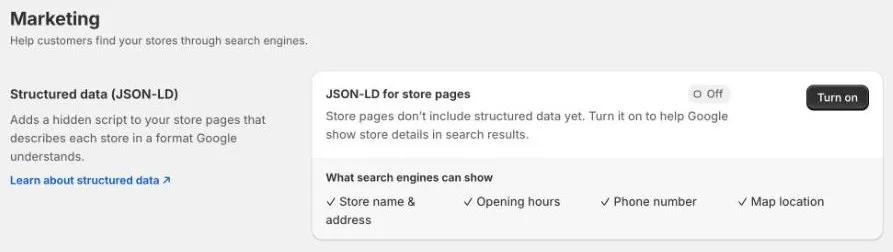
The badge changes to On. To turn it off again, click Turn off.
Structured data is added to store pages, so create store pages for your stores first.
Check what Google can read
At the moment, turning this on doesn’t always add your store’s details to its store page. Check each store page with Google’s test before you rely on it:
- Open a store page on your online store and copy its address.
- Go to Google’s Rich Results Test.
- Paste the address and click Test URL.
- Look for Local business in the results, and check that the store’s name, address, and opening hours are correct.
If the test doesn’t find your store’s details, contact us at help@shoppycommerce.com.au with the store page address.
Other ways to help customers find your stores in Google
- Google Business Profile: keep a Business Profile for each store. It’s what Google shows in Maps and local search. You can import and sync hours with Shoppy Store Locator. See Google Business Profile.
- Store pages: publish a page for each store, with a full description and correct trading hours. See Store pages.
- Links: link to your store locator page and store pages from your menus, so search engines can find them.
Google decides what to show in search results. Structured data helps Google understand your pages, but doesn’t guarantee that store details will appear.